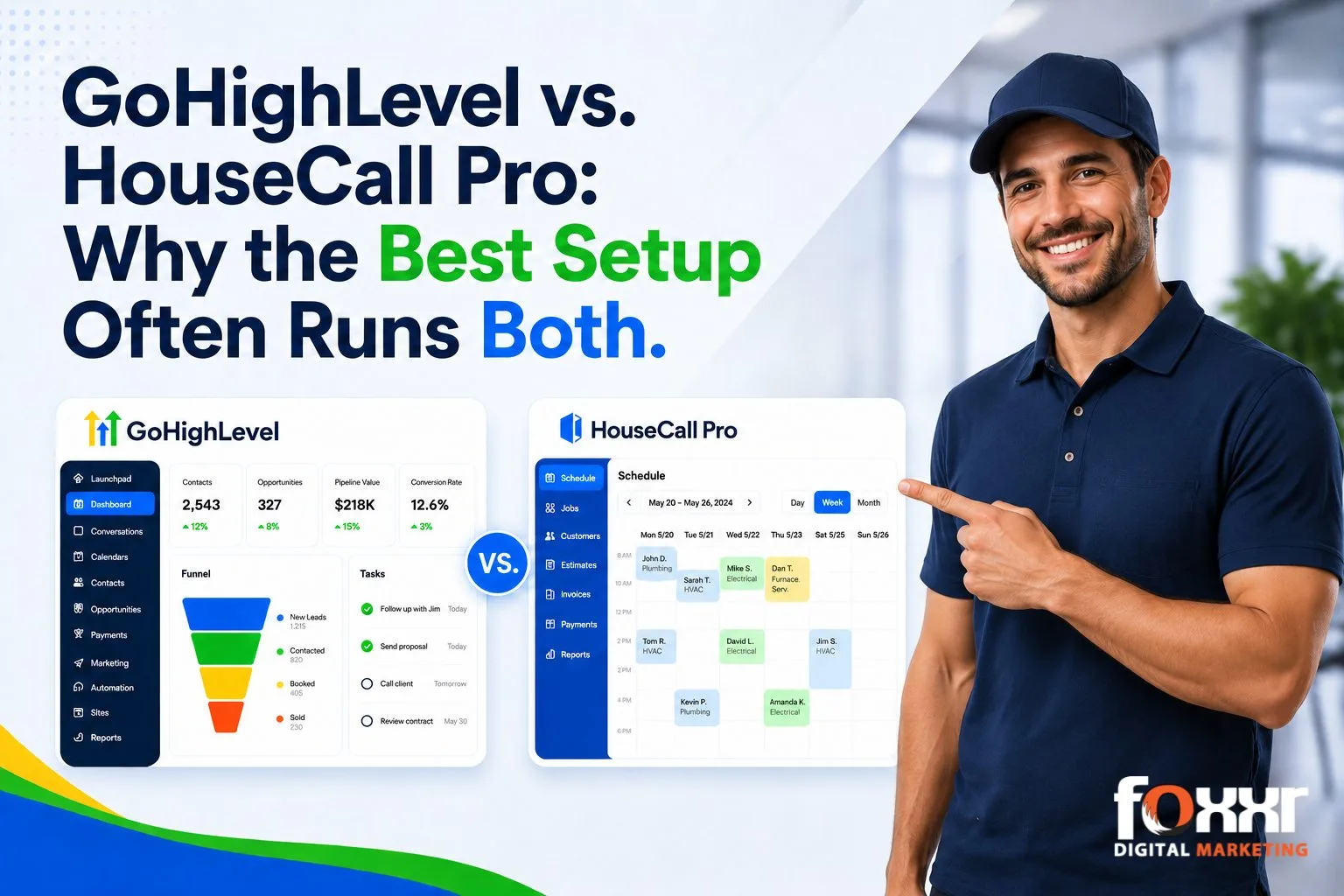
GoHighLevel vs. HouseCall Pro: Why the Best Setup Often Runs Both
Listen to Our Podcast:
GoHighLevel and HouseCall Pro solve two different problems for a home service business.
GoHighLevel handles marketing, lead follow-up, and customer communication. HouseCall Pro handles scheduling, dispatch, invoicing, and field payments. Most comparisons treat these as competing tools. The more useful question for a home service business is which side of your operation needs the most help right now.
My team and I run both platforms for our home service clients at Foxxr Digital Marketing, and I’ve walked plenty of contractors through this decision.
This guide breaks down what each platform does well. We’ll cover:
- what each one costs once you factor in add-ons and plan tiers
- how they connect to each other as of 2026
- a straightforward way to match your shop’s current pain points to the right tool, or the right combination of both
Feature Comparison At a Glance
Legend: ✓ full / native | ! limited or paid add-on | ✗ none
| Capability | GoHighLevel | HouseCall Pro |
| Marketing & sales: GHL territory | ||
| Branching automation builder | ✓ | ! |
| Funnels & landing pages | ✓ | ✗ |
| Bulk email / SMS marketing | ✓ | ! |
| Sales pipeline CRM | ✓ | ! |
| Marketing AI (multi-channel) | ✓ | ! |
| Social media scheduler | ✓ | ✗ |
| Affiliate program manager | ✓ | ✗ |
| Missed-call text-back | ✓ | ✗ |
| Forms / surveys / quizzes | ✓ | ! |
| Agency multi-client dashboard | ✓ | ✗ |
| Field operations: HCP territory | ||
| Dispatch/scheduling board | ✗ | ✓ |
| GPS technician tracking | ✗ | ✓ |
| Flat-rate price book | ✗ | ! |
| Job-tied estimates & invoicing | ! | ✓ |
| Field payment + financing | ! | ✓ |
| Two-way QuickBooks sync | ! | ✓ |
| Service agreements / plans | ! | ✓ |
| Technician mobile app | ✗ | ✓ |
| Equipment / property history | ✗ | ✓ |
| GHL↔HCP integration | ✓ | ! |
GoHighLevel vs. Housecall Pro: What Each Platform Is Built to Do
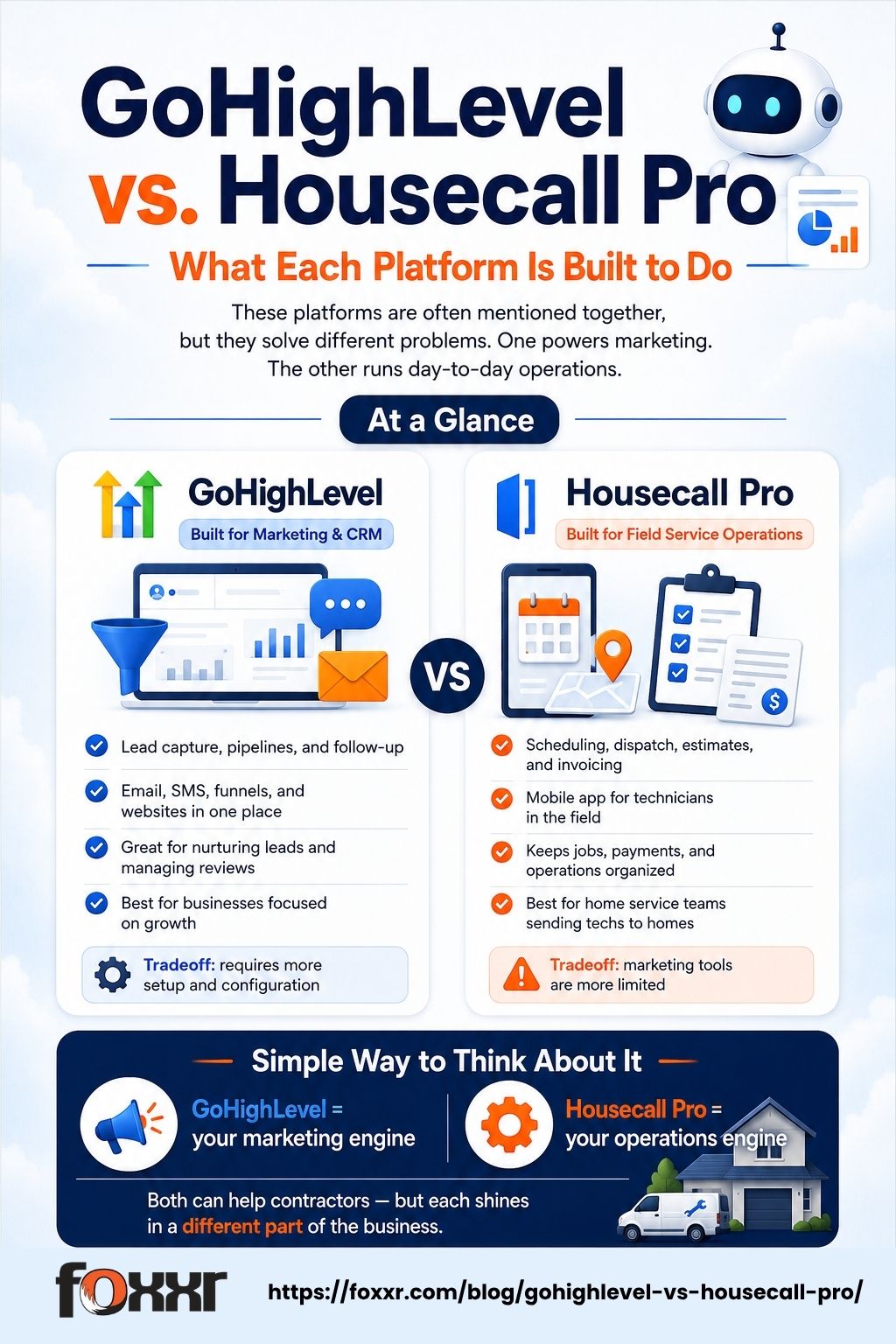
The names get thrown around together so often that it’s easy to assume they compete head-to-head. One runs marketing. The other runs operations. Here’s how each one earns that role.
What Is GoHighLevel?
GoHighLevel is a marketing and CRM platform built for businesses that need to generate leads, follow up consistently, and keep customer relationships organized in one place.
It combines a sales pipeline, email and SMS marketing, a website and funnel builder, and an AI-driven communication suite under one login. For a small business, that means lead capture, follow-up sequences, review requests, and reporting all live in a single system instead of five disconnected tools.
GoHighLevel started as an agency platform, and that history still shows. Many home service businesses access it through a marketing agency, since agencies often run client accounts as part of a broader service.
A contractor can also use it on their own, though the setup work, building automations, forms, and pipelines, suits someone comfortable configuring software, or someone who brings in help for the initial build.
What Is HouseCall Pro?
HouseCall Pro is field service management software built for businesses that send technicians into homes. Scheduling, dispatch, estimates, invoicing, and payments all run through it, along with a mobile app that technicians use on the job.
For a plumber, electrician, HVAC tech, or similar trade, HouseCall Pro replaces the whiteboard, the separate invoicing tool, and the manual QuickBooks entry with one connected workflow.
Where GoHighLevel asks a business to build its own marketing engine, HouseCall Pro comes ready to run day-one operations. A new shop can open the app, add a job, and dispatch a technician without configuring anything first.
The tradeoff shows up on the marketing side: HouseCall Pro keeps customer communication functional, but it was never built to run campaigns, nurture leads over weeks, or manage a sales pipeline the way GoHighLevel does.
Where GoHighLevel Wins
GoHighLevel’s strength lives in everything that happens before and after a job. These are the areas where it gives a small business capabilities that HouseCall Pro doesn’t attempt to match.
Branching Automation
GoHighLevel runs multi-step, conditional sequences across:
- SMS
- Social, and
- Voicemail drops
A lead can take a different path depending on how they respond, what service they asked about, or whether they’ve booked before. HouseCall Pro’s automation stays linear: one template, one sequence, the same message for every contact regardless of context.
Funnels and a Full Website Builder
A business can build unlimited landing pages and funnels directly inside GoHighLevel, plus a complete website on top of that.
HouseCall Pro offers a done-for-you website service instead of a self-serve builder. That works for a shop that wants someone else to handle it. It leaves no room for a contractor who wants to test pages or make changes without submitting a request.
Bulk Email and SMS at Scale
Campaigns run as broadcast or behavior-triggered sends with no comparable ceiling baked into the core plan. On HouseCall Pro’s included Campaigns tier, sends are capped at 500 emails per day and 500 per month, whichever limit a shop hits first, which a list of a few hundred contacts can exhaust in a single campaign.
Higher volume requires upgrading to a paid Campaigns add-on, which raises the daily cap and adds overage fees once the monthly allowance runs out. Foxxr builds email marketing campaigns for contractors who want this kind of volume handled correctly from the start.
A Sales Pipeline
GoHighLevel’s CRM supports multiple pipelines, kanban-style stages, and automation tied to stage changes, alongside a single inbox that pulls in every channel a lead might use to reach out.
HouseCall Pro’s board exists to track jobs and estimates, not to manage a sales process with multiple touchpoints before someone becomes a customer.
Marketing AI Across Channels
The AI Employee suite covers a voice agent that answers calls, a conversation bot for SMS and chat, an AI that drafts review responses, and a content generator, all bundled into one flat add-on price. This is the same engine behind Foxxr’s AI Chat and AI Voice services for contractor clients.
HouseCall Pro’s AI stays focused on receptionist and operations tasks, with nothing built for running marketing campaigns or writing customer-facing content.
Social Posting and an Affiliate Program
A built-in social media scheduler covers Facebook, Instagram, Google Business Profile, LinkedIn, and TikTok from inside the same platform.
GoHighLevel also lets a business run its own referral program with commission tracking and payouts, something HouseCall Pro doesn’t offer beyond basic referral cards.
Where HouseCall Pro Wins
HouseCall Pro’s strength lies in the job itself, in everything that happens once a customer is already booked. These are the areas where it provides small-business field operations tools built specifically for crews working on-site.
Dispatch and Scheduling
A drag-and-drop board shows every technician’s day in color-coded blocks. A dispatcher can move jobs around, spot conflicts, and reassign on the fly. Multi-tech dispatch is HouseCall Pro’s territory. GoHighLevel doesn’t compete here.
GPS Technician Tracking
The mobile app tracks a technician’s location using the phone a tech already carries. A dispatcher or customer can see where a tech is in real time, all without installing extra hardware in any vehicle.
Job-Tied Estimates and Invoicing
Estimates connect directly to the job record, with good, better, and best pricing tiers built into the proposal. The invoice is generated from that same job data once the work wraps up, keeping the whole estimate-to-payment chain inside one record.
Field Payment and Financing
Card readers, ACH transfers, and Wisetack financing all work at the point of sale. A technician can close out payment standing in the customer’s driveway, with the transaction tied straight to the job.
Two-Way QuickBooks Sync
Data flows in both directions between HouseCall Pro and QuickBooks Online or Desktop. A change made in one system updates the other automatically, keeping the books current without double entry.
Technician Mobile App
Techs use one app for job notes, photos, signatures, payments, and GPS check-ins. Everything a technician needs in the field lives in a single screen they already have in hand.
Equipment and Property History
Every visit gets logged against the customer’s property, building a record of past equipment, repairs, and service dates over time. A technician walking into a job can pull up what’s been done at that address before the truck even parks.
How to Connect GoHighLevel and HouseCall Pro
Connecting these two platforms touches a handful of decisions: which events matter, how messages should differ by customer, what data has to match cleanly, and what plan tier you’re working with. Here’s how to think through each one.
Start With One Automation, Then Build From There
HouseCall Pro can hand off a long list of events: a new customer, a booked job, a completed job, a paid invoice, an overdue invoice. A shop that’s never sent a review request automatically gets the most value starting there. Get one trigger working cleanly, watch it for a week, then add the next one. Building automations one at a time, in order, makes each one easy to check and easy to trust before the next gets added on top.
The Same Trigger Can Send a Different Message
A completed job sounds like a single event, but it works better as several. A first-time customer who just had an emergency repair benefits from a different message than a maintenance-plan customer on their fourth visit.
Sending a tailored “thanks, here’s a maintenance plan that fits your home” to the first customer and a simple, warm review request to the fourth-visit customer makes each message land better. This is the part of integration setup that pays off the most, since a little extra logic up front turns one generic flow into several that actually fit the customer.
What Data Needs to Travel Cleanly Between Both Systems
Customer name, phone, email, service address, job type, job status, and last service date all need to land the same way on both sides. Getting this mapping right the first time, matching phone number formats, and making sure every HouseCall Pro job type has a corresponding GoHighLevel tag keeps automations running smoothly for the long run and keeps reporting clean.
The MAX Plan Requirement
HouseCall Pro’s MAX plan is the tier that unlocks the API key needed to connect the two platforms directly, and estimate-related triggers specifically run on MAX only, since estimates themselves live on that tier. A shop on Basic or Essentials can still connect HouseCall Pro and GoHighLevel, but estimate automation waits until they upgrade, or a Zapier or Make bridge covers that specific gap in the meantime.
The API key gets generated inside the client’s own HouseCall Pro account, then pasted into GoHighLevel’s integration settings.
Building Something That Stays Reliable
A strong setup includes a simple way to check that everything’s still firing as expected, whether that’s a dispatcher task, a Slack alert, or a quick weekly look at the automation’s run history. That kind of visibility is what keeps a system working correctly months after launch, not just in the first week.

What Each Platform Costs
| GoHighLevel | HouseCall Pro | |
| Entry | $97/mo, Starter, 3 sub-accounts | $59-79/mo, Basic, 1 user |
| Mid tier | $297/mo, Unlimited, unlimited sub-accounts | $149-189/mo, Essentials, 5 users |
| Top tier | $497/mo, Agency Pro, API + branded app | $299-329/mo, MAX, ~8 users |
| Billing model | Flat rate, any team size, usage billed on top | Per-user beyond cap, paid add-ons |
| Integration | Included | Requires MAX plan |
HouseCall Pro’s MAX tier in particular shows up differently across sources. Some list it at a flat $299-329/mo, others describe it as a custom quote tied to seat count, so it’s worth confirming with HouseCall Pro directly.
The Cost Behind the Sticker Price
HouseCall Pro’s listed price leaves out per-user fees and common add-ons. Profit Rhino runs around $149/mo for flat-rate pricing tools.
Sales Proposals adds about $40/mo. GPS hardware costs roughly $20 per vehicle per month if a shop wants dedicated tracking devices. A 4-tech shop running these add-ons lands around $378/mo before any payment processing fees, and payment processing itself runs roughly 2.49-3.49% per transaction on top of that.
These figures come from HouseCall Pro’s published add-on pricing as of June 2026 and are worth confirming at signup, since add-on costs shift more often than the core plan tiers.
Plan tiers carry their own seat trap worth knowing about. Basic covers exactly one user, so hiring a second technician or adding an office assistant forces an upgrade to Essentials, even for a shop that doesn’t need any of the other features that tier unlocks.
GoHighLevel’s flat price covers the platform itself, but SMS, calls, email, and AI usage all bill separately on top.
Heavy SMS volume or the full AI Employee suite pushes the real cost well past the sticker price.
Where the Ratings Land
Review platforms don’t agree with each other, which is worth knowing before trusting any single number. On G2, GoHighLevel sits at 4.2/5, and HouseCall Pro sits at 4.3/5, a near tie. On Capterra, both platforms score higher, and the gap stays roughly the same: GoHighLevel at 4.6/5, HouseCall Pro at 4.7/5.
HouseCall Pro carries the larger review base by a wide margin, with thousands of reviews across both platforms against GoHighLevel’s count in the hundreds to low thousands. That gap tracks with how long each platform has served the field-service category specifically, not with a meaningful quality difference between the two.
Which Tool Fits Your Business
The right choice comes down to where the pain currently sits in your business.

Choose GoHighLevel If
- Missed calls or cold estimates with no follow-up are draining leads
- Your customer list goes quiet after the first job
- You run a 1-3 truck shop with light dispatch needs
Marketing carries the higher cost here, since every unanswered lead is revenue that already showed up once.
Choose HouseCall Pro If
- Scheduling chaos eats into office hours every week
- Invoicing runs slow, or QuickBooks syncing causes friction
- Financing options are missing at the point of sale
- Marketing already runs through another channel, like referrals or ads
The bottleneck here sits in how jobs move from booking to paid.
Run Both, Connected, If
- Lead generation and field operations both need attention at the same time
- You want automatic data sync between systems instead of manual entry
This only works smoothly if the HouseCall Pro side sits on the MAX plan.
What Changes the Calculation
- Past roughly 8 technicians, per-user pricing on smaller platforms starts pushing toward software built for larger field service teams
- Route optimization is a separate gap neither platform handles natively, so a shop that depends on it daily should look at a dedicated routing tool alongside whichever CRM it chooses
FAQs
Do GoHighLevel and HouseCall Pro replace each other?
No, each one covers a different part of running a home service business. GoHighLevel handles marketing and customer communication. HouseCall Pro handles scheduling, dispatch, and payments. A shop can run either one alone or both together, depending on where the bigger need sits.
Is GoHighLevel hard to set up for a small team?
It takes more setup work than HouseCall Pro. Building automations, forms, and pipelines from scratch suits a team comfortable configuring software, or one willing to bring in outside help for the initial build. HouseCall Pro runs closer to ready-to-use straight out of the box.
Do both platforms offer a free trial?
Both offer trial access, though terms and length change often enough that checking each platform’s current signup page is worth doing before committing.
What happens if I’m on HouseCall Pro’s Basic or Essentials plan?
The integration with GoHighLevel still works for syncing customers and jobs. Estimate-level automation stays out of reach until the account moves to the MAX plan, since estimates live on that tier specifically.
Which platform has better customer support?
It’s close. On G2, HouseCall Pro edges out GoHighLevel at 4.3/5 versus 4.2/5. On Capterra, the gap holds at roughly the same margin, with HouseCall Pro at 4.7/5 and GoHighLevel at 4.6/5. Neither platform runs away with it on review data alone.
Where to Go From Here
Picking between GoHighLevel and HouseCall Pro is only the first decision. Connecting them correctly, with field mapping that holds up and automations that match your shop’s real workflow, is where most contractors run out of time or hit a wall on their own. That gap is exactly why agencies get hired to set this up rather than contractors building it solo.
Foxxr builds and manages AI-powered CRM setups for home service businesses every day, running on GoHighLevel and HouseCall Pro together. My team and I handle everything:
- Connecting the two platforms
- Building out AI-driven follow-up sequences and review requests
- Mapping your service area into a working pipeline
- Keeping the whole system running once it’s live
Clients come to us across plumbing, HVAC, roofing, and several other trades, often after trying to build this themselves first and hitting a wall. If you’re in the plumbing trade specifically, our guide on AI for plumbing businesses covers more of what becomes possible once your CRM and field tools are talking to each other.
If you’d like help putting a system like this together for your shop, reach out to Foxxr today, and we’ll build it with you.